Connect the MCP
One command adds Concepts to your coding agent. It runs locally over stdio.
After every commit, your agent draws the change as a system-design diagram and marks each concept it relies on, right where it lives.
claude mcp add --scope user concepts -- npx -y concepts-mcp@latestNeeds Node.js 20+ and git. Paste into your terminal.
Then turn it on in a repository. Ask your agent, or run the setup yourself; it asks where diagrams go and how much each commit saves:
npx -y concepts-mcp@latest init
Free and open source · Runs on your machine · Needs Node.js 20+ and git · No account or API key
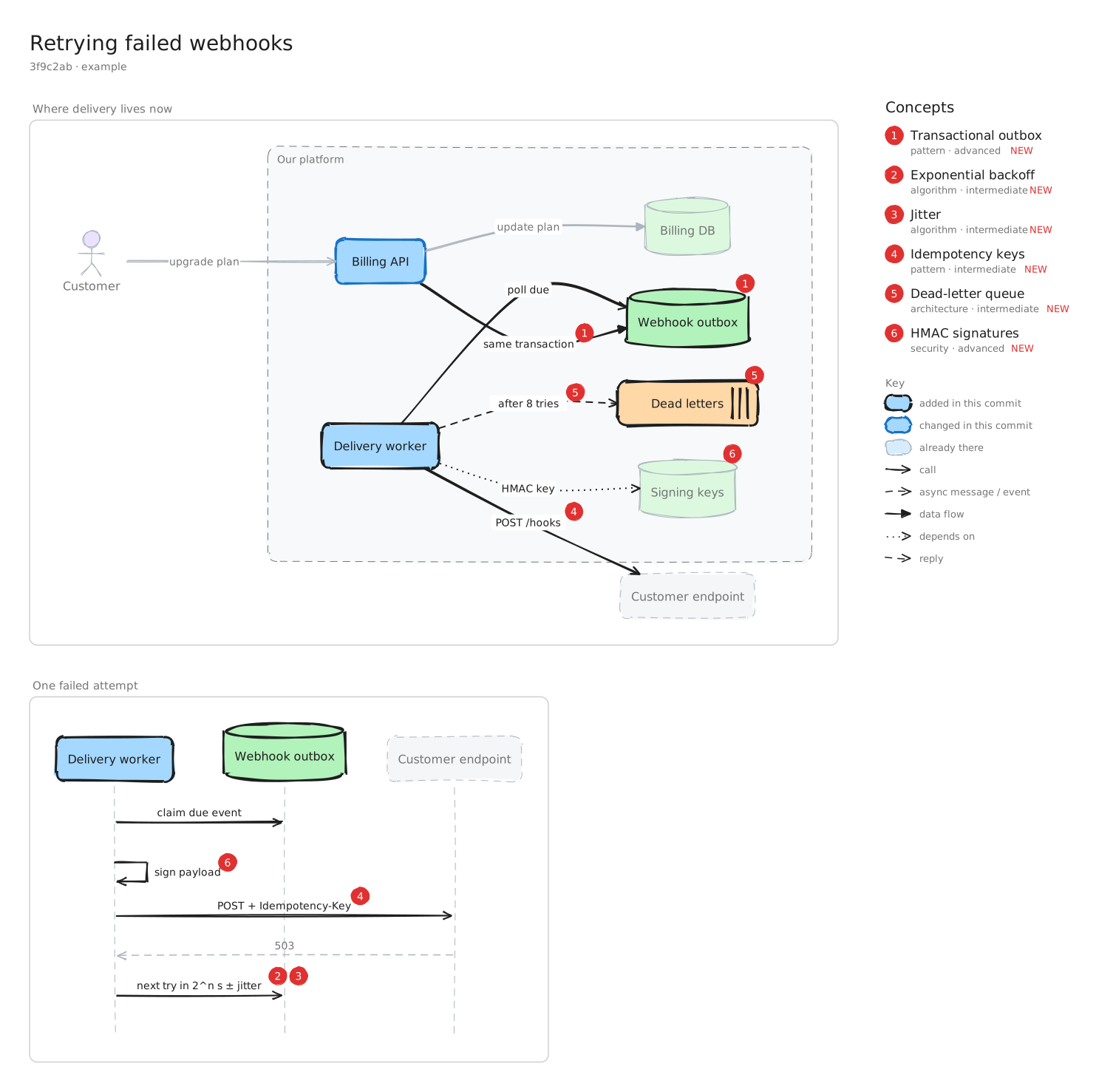
The MCP reads git and draws the files. The agent you already use picks out the concepts.
One command adds Concepts to your coding agent. It runs locally over stdio.
It reads the diff, chooses the views that teach it, and lists every concept worth learning.
A diagram, an explanation per concept, and a note that grows each time it shows up again.
Add retries for failed webhooks, then commit
⏺ concepts · get_unprocessed_commits 1 commit · 3f9c2ab
⏺ concepts · get_concept_library 27 known concepts
⏺ Read src/webhooks/outbox.ts, src/webhooks/worker.ts
⏺ concepts · record_commit_concepts architecture + sequence · 6 concepts
Added 1 diagram: docs/concepts/commits/2026-11-06-3f9c2ab-retrying-failed-webhooks/
Five views, as many as the change needs, with real shapes for databases, queues, people and decisions. Explanations go beside the diagram, never in it.
Components and how they talk
Who calls whom, in order
Steps and decisions
States and transitions
Entities and relationships
Each concept gets one Markdown note that collects every commit where it showed up. Notes you add yourself are kept. You choose where it lives during setup.
docs/concepts/shows up on GitHub~/Desktop/ConceptLibrary/just for youWait longer after each failure, so a struggling service gets room to recover instead of a flood of retries.
Appears in 3 commits
3f9c2aba81e0d477c2b19Your agent does the thinking. The MCP gives it the workflow, the history and a renderer.
get_concepts_instructionsThe workflow, so every commit is modeled the same way.
setup_conceptsSets up or changes where diagrams go and how much each commit saves, with a picker.
get_unprocessed_commitsCommits without a diagram yet, with diffs sized to fit.
get_concept_libraryConcepts already learned, so their notes are reused.
record_commit_conceptsLays out and draws the diagrams, then updates the library.
Runs on your machine. Your code never leaves it.
One command, then keep coding.